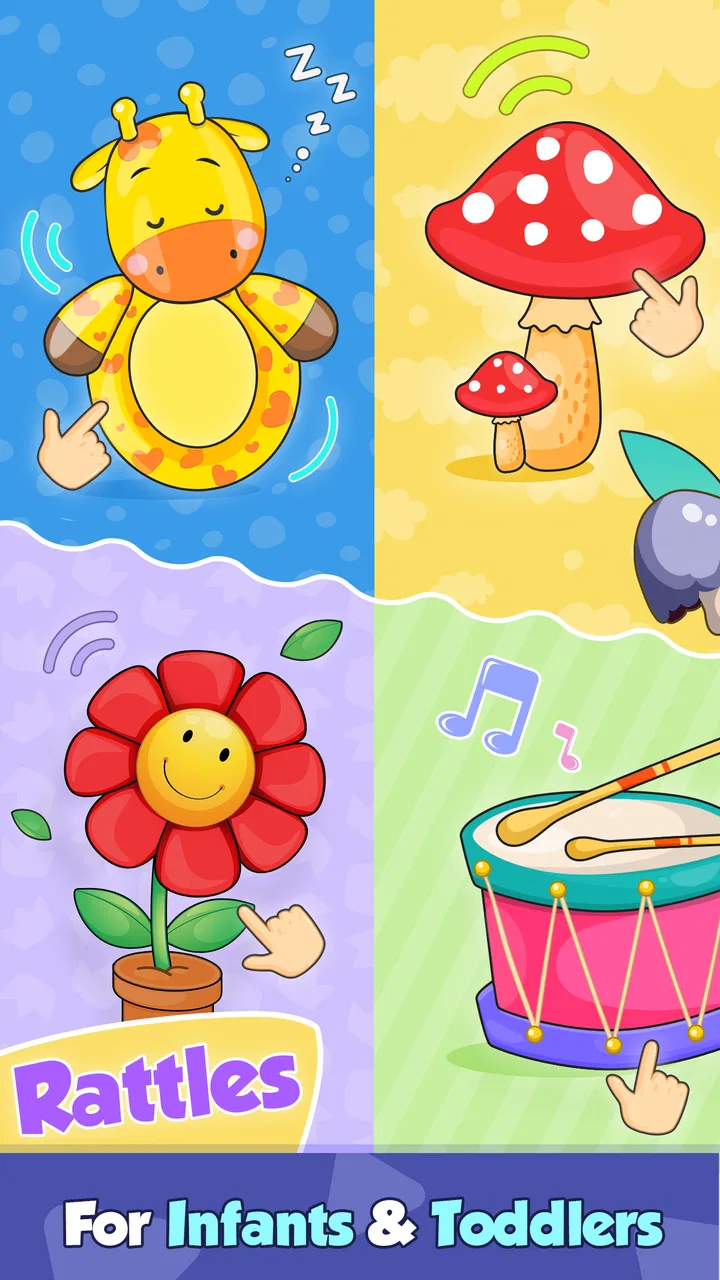
Baby Rattle: Giggles & Lullaby
- 4.8
- Rating
- 100.00K
- Installs
- Free
- Price

 Analysis by App-foxy
When a baby is restless, the solution is often not another complicated activity. Sometimes a bright screen, a friendly sound, and a simple touch response are enough to interrupt a fussy moment. That is the situation where I found Baby Rattle: Giggles & Lullaby most useful: as a small, focused distraction for toddlers and infants rather than as a full learning platform or a substitute for play with an adult.
This free parenting app comes from Bebi Family: preschool learning games for kids, and it is aimed at Everyone. Its appeal is easy to understand. The screen uses lively animated characters, cute visual elements, and sounds designed for very young children, while the store summary also highlights a no-ads experience. After using it, my overall impression is positive, but with an important qualification: its value depends heavily on how deliberately a parent introduces it. The app can help during a short transition, yet it is not something I would leave running indefinitely.
From a fussy moment to a calmer handoff
I find this app most useful in the small gap between a baby’s fussiness and the next practical step, rather than as a way to keep a child occupied for long. In this section, I focus on how a caregiver can make that brief distraction feel intentional: decide what the child needs first, then use the screen as a short bridge back to hands-on attention.
You May Also Like

 Blood Strike: 2.5 Anniversary
Blood Strike’s Loadouts Turn Every Drop Into a Tactical Gamble
A close look at Blood Strike’s custom loadouts: how fast access to signature weapons reshapes its battle royale rhythm, rewards preparation, and narrows the gap between fights.

 Pandora - Music & Podcasts
Pandora’s Music Is Easy to Start, but Harder to Recover
Pandora’s strength is its low-effort path from a seed to a station. Its weak spot is how much confidence it asks you to place in connection, setup, and quiet recovery.

 8 Ball Pool
 Is Built on Rivalries, Rematches, and Routine
A close look at the rivalries, rematches, shared routines, and unanswered safety questions that turn a quick pool match into a persistent mobile community.

 Samsung Music
’s Quiet Strength Is Playing What You Already Own
Its reach comes less from spectacle than from dependable access to a personal library. That simplicity is both the app’s strongest retention engine and its ceiling.

 AccuWeather: Weather Radar
AccuWeather Review: A Quick, Clear Forecast for Everyday Decisions
For everyday plans, the best forecast is the one you can understand quickly. AccuWeather makes rain timing, radar, and local conditions easy to act on, with a few trade-offs.

 Hill Climb Racing
Why Hill Climb Racing Still Turns Crashes Into One More Run
A tiny car, a bumpy hill and one more upgrade: Hill Climb Racing keeps resurfacing because its simple chaos makes every near-miss feel personal.
More From Our News Desk



Starting with the real need
The best way to approach this app is to begin with the child’s immediate situation. If a baby is hungry, overtired, uncomfortable, or needs attention, a rattle app will not solve the underlying problem. I would first handle those needs, then use the app only when a brief visual and audio diversion makes sense. That distinction matters because the simplicity that makes it accessible also limits how much it can do.
A realistic example is getting ready to leave the house. One parent may be packing a bag while the other needs a few quiet minutes to put on shoes or prepare a bottle. In that narrow window, opening the app can give the child something clear to look at and interact with. The goal is not to complete a lesson. The goal is to create a gentle bridge between one activity and the next.
I also see a place for it during supervised waiting: before a doctor’s appointment, while a meal is being prepared, or during a short journey when a physical rattle is unavailable. Those situations favor an app with an obvious purpose. There is no need to explain rules or read instructions to a baby. The parent can open it, hold the device securely, and let the child explore for a moment.
What happens when the app is handed over
The first handoff is from the adult to the child, and this is where expectations should stay realistic. A young baby may simply watch the movement and listen to the sound. An older toddler may tap repeatedly, look for a reaction, and try to understand which parts of the screen respond. That makes the experience feel more like a digital object to investigate than a conventional game with goals.
I recommend starting with the adult holding the phone or tablet and demonstrating one interaction. This prevents the child from immediately pressing everywhere and becoming frustrated if the response is not what they expect. It also gives the parent a chance to judge whether the audio level and animation are comfortable in the current environment.
The app’s strongest quality is its low barrier to entry. A child does not need to recognize letters, count, follow a sequence, or understand spoken instructions. The combination of animation and sound communicates that something is happening without demanding advanced language skills. For infants, that may be enough. For toddlers who already expect more complex games, the experience can feel intentionally limited.
Following the interaction step by step
My usual workflow is simple. I open the app before handing over the device, check that the surroundings are suitable, and keep the child close enough to observe. I then let the child touch the screen naturally instead of directing every movement. If a response catches their attention, I name what they are seeing or hearing. That small adult contribution turns passive screen time into a shared moment.
After a short period, I change the activity around it rather than trying to stretch the app itself. For example, I might move from the animated screen to a real rattle, a soft toy, or a face-to-face sound game. This creates a useful handoff from digital stimulation to physical play. In my experience, that is a better use of the app than treating it as a self-contained entertainment session.
One practical tip is to use the app as a transition marker. Open it while waiting for a caregiver to finish a task, then close it when that task is complete. The child gradually learns that the screen belongs to a short interval, not an unlimited activity. This approach also reduces the chance that the child becomes upset when the device is removed unexpectedly.
Another useful habit is to keep the device stationary. Very young children may tap with more force than expected or try to grab the phone. A stable position makes the interaction easier to watch and reduces the risk of the device being dropped. The app itself may be simple, but the surrounding setup determines whether the experience feels calm or chaotic.
Where the adult and child handoffs matter
There are several handoffs in a normal session. The first is from caregiver to child. The second is from looking to touching, as the child learns that their action can produce a response. The third is from the app back to real-world play. Each one can either feel smooth or create friction.
The first handoff works best when the adult remains present. I would not treat the app as a reliable way to occupy a baby while the caregiver leaves the room. The screen may hold attention for a while, but the child still needs supervision, especially when using a phone or tablet. Keeping the adult nearby also makes it easier to notice when the child is bored, overstimulated, or ready to stop.
The second handoff is about discovery. If the child taps and sees movement or hears a sound, that immediate response can encourage another attempt. However, young children do not all interact with touchscreens in the same way. Some watch without touching; others press continuously. I would give both styles room rather than assuming that active tapping is the only successful outcome.
The final handoff is the most important one. I found the app more satisfying when it led into something tangible: shaking a real toy, copying a sound, singing softly, or looking at the caregiver’s face. This is also where the app compares favorably with a passive video. A video can hold attention, but a simple interactive screen at least invites the child to cause a response. It still cannot match the sensory variety or social feedback of a real object and person.
What the child gets from the experience
The result is modest but useful. A child may become briefly engaged, practice tapping, notice cause and effect, and respond to animated sounds. I would describe these as small moments of exploration rather than formal educational gains. The app’s parenting category makes sense because the adult’s guidance is central to getting the most from it.
The no-ads positioning is especially helpful in this context. With very young children, an unexpected advertisement would be more than an inconvenience: it could interrupt the interaction, expose the child to unsuitable material, or encourage a tap away from the intended activity. A cleaner session makes the app easier for a parent to manage.
It is also free to start, which lowers the barrier for families who want to test the experience without committing immediately. There are in-app purchases ranging from $1.99 to $4.99 per item, so I would still review any purchase prompts before giving the device to a child. The important practical point is that the child should not be the person navigating payment-related screens.
The app has reached over 100 thousand installs and holds a 4.8 average from around 1.7 thousand ratings, which suggests that many families find the basic idea appealing. I would not use those figures as a guarantee that every baby will enjoy it, because attention at this age varies widely. Still, they provide some reassurance that the app is not an obscure experiment with no visible audience.
Where it fits beside ordinary alternatives
Compared with a physical baby rattle, the app is more convenient when the real toy is missing, dirty, or packed away. It can also offer animated feedback that a basic object cannot. The trade-off is that it requires a charged device and introduces a screen into the child’s environment. A physical rattle remains better for grasping, shaking, mouthing under appropriate supervision, and exploring weight and texture.
Compared with nursery videos, this app feels more focused. It is not asking the child to sit through a long sequence or follow a story. The interaction is immediate, and the child’s touch has a role. On the other hand, a carefully chosen song, a picture book, or a caregiver’s own voice may provide richer language and social engagement.
Compared with broader preschool learning suites, Baby Rattle: Giggles & Lullaby is easier to introduce to a baby who cannot yet understand instructions. That is its advantage. The disadvantage is that parents looking for structured counting, alphabet practice, puzzles, or progress tracking will probably outgrow it quickly or prefer a different type of app.
Device fit, setup, and everyday friction
The current version is 3.01.08, and the app runs on Android devices using version 6.0 or later. That makes it accessible on many older compatible devices, which is useful if a family keeps a spare phone or tablet for supervised child activities. I would still test the app on the actual device before relying on it during a busy moment, because screen size, speaker quality, and touch sensitivity can change how comfortable the interaction feels.
Sound deserves particular attention. A lively effect that attracts a baby in a noisy room may feel too intense in a quiet bedroom. I prefer starting with the device volume low and increasing it only if necessary. For a calming routine, the screen may be more suitable with minimal background noise around it, while a busy kitchen may require a different approach altogether.
Another friction point is the temptation to use the app as a universal calming button. If the child starts demanding the device whenever they are bored, the short-term convenience can become a habit that is difficult to manage. I would reserve it for specific transitions and close it once the handoff is complete. That keeps the app useful without making it the default response to every unhappy moment.
Where the flow breaks
The experience breaks down when the adult expects more depth than the app is designed to provide. There is no reason to choose a baby rattle app if the child wants a story, a puzzle, or a longer creative activity. Its simplicity is not a flaw for infants, but it becomes a limitation for children who need richer challenges.
It can also fail when the child is already overstimulated. Bright animation and sounds may attract attention, but attraction is not the same as calm. If the baby turns away, cries more, rubs their eyes, or seems overwhelmed, I would stop rather than keep trying different taps. The better alternative at that point may be quiet contact, a nap routine, or a familiar physical toy.
The app is not the right choice for unsupervised device access either. Even with a child-friendly design and an Everyone rating, the phone remains an adult device with settings and purchase controls that should be managed by a caregiver. I would open it myself, keep the child within reach, and end the session before handing the device back for another purpose.
There is also a social limitation. The app can react to a touch, but it cannot replace the timing, facial expression, and emotional reassurance of a parent. If the intended outcome is bonding, language practice, or shared attention, I would use the app only as a prompt and spend most of the time interacting with the child directly.
Who should try it and who should skip it
I would recommend it to parents of infants and young toddlers who want a simple, ad-free-feeling digital distraction for brief supervised moments. It is particularly suitable for families that value immediate interaction over lessons, and for situations where carrying a physical toy is inconvenient. The free entry point makes it reasonable to try before deciding whether the style suits the child.
I would be more cautious for families seeking a complete educational program. The app should not be purchased with expectations of curriculum, detailed progress reports, or a large collection of developmental activities. A physical toy, book, music session, or more structured learning app may be a better choice depending on the child’s age and the parent’s goal.
My final view is that this is a small tool with a clear use case. I like it most when it supports a handoff: from fussiness to attention, from waiting to the next routine, or from a missing physical rattle to a quick substitute. I would keep the sessions short, stay involved, and move naturally back to real-world play. Used that way, Baby Rattle: Giggles & Lullaby earns its place as a convenient parenting aid, not because it does everything, but because it keeps one very simple interaction easy to start.
FAQs for Baby Rattle: Giggles & Lullaby
01What is Baby Rattle: Giggles & Lullaby?
Baby Rattle: Giggles & Lullaby is an interactive app designed to entertain and soothe infants with a variety of sounds, animations, and lullabies. It transforms your smartphone or tablet into a virtual rattle, offering a sensory-rich experience that captivates babies’ attention and aids in their sensory development.
02Is Baby Rattle: Giggles & Lullaby safe for my child?
Yes, Baby Rattle: Giggles & Lullaby is designed with safety in mind. It features child-friendly content and is free from harmful ads or in-app purchases. However, it’s recommended to supervise your child during use to ensure they handle the device safely and don’t accidentally exit the app.
03What age group is Baby Rattle: Giggles & Lullaby suitable for?
Baby Rattle: Giggles & Lullaby is ideal for infants and toddlers aged 0-2 years. The app’s simple interface and engaging visuals cater to young children, making it a perfect choice for parents looking to entertain and stimulate their babies while also providing calming lullabies for naptime.
04Does the app work offline?
Yes, Baby Rattle: Giggles & Lullaby works offline, allowing parents to use it without an internet connection. This feature is particularly useful for travel or situations where Wi-Fi is unavailable, ensuring continuous entertainment and comfort for your baby wherever you are.
05How does Baby Rattle: Giggles & Lullaby support child development?
The app encourages sensory development through interactive visuals and sounds. It helps babies recognize different shapes and colors, improve hand-eye coordination, and engage with rhythmic patterns through music. The soothing lullabies also promote relaxation and better sleep.
Pros
- Interactive animations captivate babies.
- Simple interface for easy navigation.
- High-quality sound effects enhance experience.
- No in-app purchases ensure safe play.
- Supports offline mode for travel use.
Cons
- Limited content can become repetitive.
- Graphics may not suit older toddlers.
- Requires storage space for installation.
- No parental control features included.
- Some animations may lag on older devices.

Baby Rattle: Giggles & Lullaby
Gallery